Area Chart in Excel
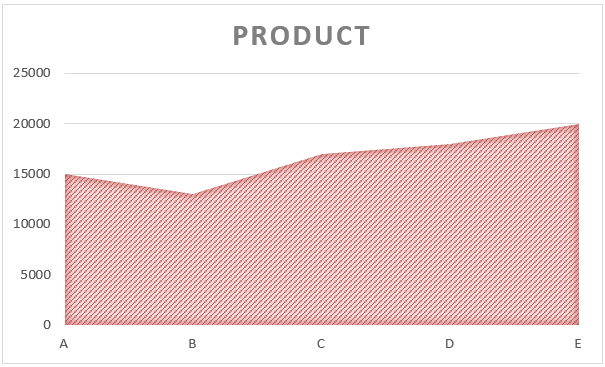
In this blog post we will learn to create “Area Chart in Excel”. We will take simple example to create “Area Chart in Excel”. We have listed 05 products: Product A, Product B, Product C, Product D and Product E along with their costs. Now we will see how we can convert this data into “Area Chart” for better data visualization. Just follow below steps: 1. Select the above data which we want to convert into Area Chart. 2. Go to “Insert” Tab, Select Insert Area Chart command under “Charts” group. 3. We will get further options for selecting Area Chart. Out of these appeared option we have to select “Area” option under “2-D Area” as shown in below image. 4. We can see that “Area Chart” is now created for our selected data. Changing Chart Style: To change the formatting of our Area Chart, click on the existing “Area Chart” and this will appear two additional tabs on our Ribbon. These tabs are: 1. Design Tab 2. Format Tab Once we click on the “Design” tab, we can see various Chart Styles for...