OFFSET Function in Excel
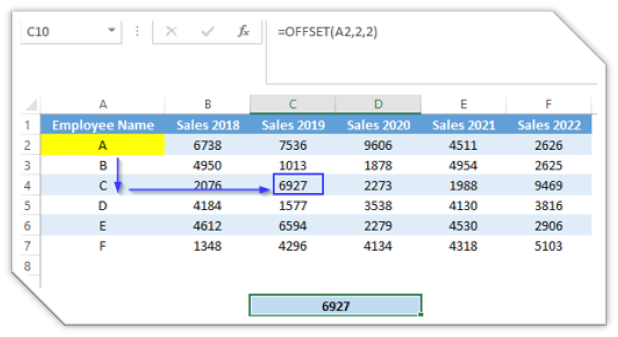
In this blog post we will learn to about OFFSET function in excel. OFFSET function will give us a reference of a cell , or a cell range based on provided number of rows and number of columns. Basically, OFFSET function will shift the original reference to up, down, left, or right based on provided number of rows and columns and gives us new reference. Where to find OFFSET function on Excel Screen: OFFSET function can be found under “Lookup & Reference” function category under “Formulas” tab and under “Function Library” group as shown in below image: Once we click on “Lookup & Reference” function category, we can see list of various Lookup & Reference functions available in excel. OFFSET function is highlighted in blue in below image. Once we click on OFFSET option as highlighted above, we will get the function argument dialog box as shown in below image: Syntax of OFFSET Function: The Syntax of OFFSET function is as below: =OFFSET(reference, rows, cols, [height], [width]) ...


