Insert WordArt in Excel
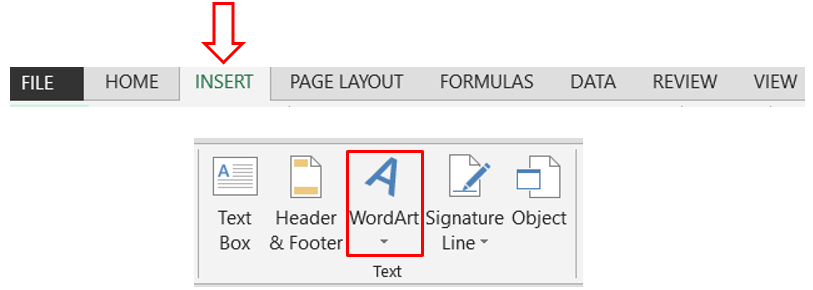
In this blog post we will learn to insert WordArt in excel. WordArt can be used to provide attractive look while creating templates or dashboards. The WordArt command can be found in “Insert” tab and under “Text” group as shown in below image. Once we click on this WordArt command, we can find around 20 different WordArt options which we can use in our excel file. Out of these 20 different WordArt options, we can select any one of our choice. In this case we have selected the WordArt which is highlighted with red in below image. Once we click this red highlighted WordArt option, we can see the this WordArt is now appeared on our excel screen with message in textbox “Your text here”. We can edit the text in this WordArt just by selecting it and typing the letters which we want to enter. In this case we have inserted the name of our blog “ Excel Tricks with Tejraj ”. Providing Text Effects to WordArt: We can also provide special effects to the text in WordArt. When we click on the insert...