Posts

Showing posts with the label between

Restrict Cells to Accept Only Whole Numbers Using Data Validation

Image
In this blog post we will learn to restrict the cells to accept only Whole Numbers with the help of “Data Validation” functionality in excel. For example, we want to ask user to enter only Whole Numbers which are between values 5 to 10 and if user enters any other value which is beyond this range then the cell should not accept it. For this we will use “Data Validation” functionality in excel. “Data Validation” can be found in “Data” tab under “Data Tools” group. Now let’s see how we can use this “Data Validation” command to restrict cell to accept only Whole Numbers: 1. Select the cells in which we wish to restrict the Whole Numbers. In this case we want to restrict Whole Numbers in cell “B1”. 2. Click on Data Validation command under “Data Tools” group which will appear 03 further options and out of these 03 options again select “Data Validation”. 3. Once we click on “Data Validation” command, one dialog box named as “Data Validation” will appear on screen. 4. Under this dialog box, ...
Date Filter in Excel

Image
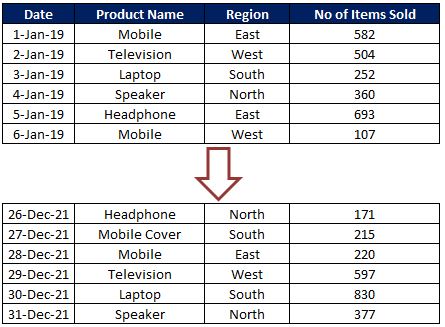
To explain “Date Filter“ in detail, we have a dummy data of some electronics products sold in 04 regions East, West, South and North from 1st Jan 2019 to 31st Dec 2021. Date filter can only be applied for the column which contains Date values. In our case we can apply Date filter for the Date column. Click on the drop down button which is available on header cell “Date” and click on “Date Filters” option as highlighted in below image. We can filter data available in this Date column based on below criteria’s: So let us now see each of the criteria in detail.  Please make a note that we will consider today’s date as “13th September 2020” throughout this post. So all the output results shown in this blog post will depend on this date. Equals:  This option will help us to filter the dates exactly equal to our input date. For example if we want to filter the data for date 1-Jan-20 then we will provide our “equals” criteria as shown in below image. This will provide us the output a...