INDEX Function in Excel
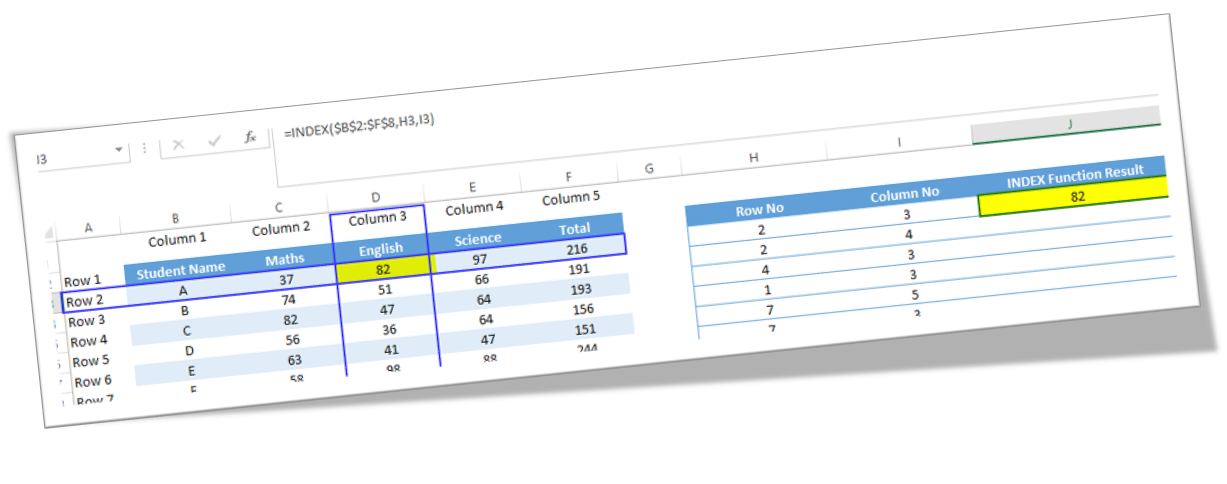
In this blog post we will learn to about INDEX function in excel. We can use INDEX function to find value which is present at the intersection of provided row number and column number in g given cell range . For example, we want to find our which value is present at the intersection point of row 3 and column 4 in a given table then applying INDEX function is a perfect solution. Where to find INDEX function on Excel Screen: INDEX function can be found under “Lookup & Reference” function category under “Formulas” tab and under “Function Library” group as shown in below image: Once we click on “Lookup & Reference” function category, we can see list of various Lookup & Reference functions available in excel. INDEX function is highlighted in blue in below image. Once we click on INDEX option as highlighted above, we will get the select argument dialog box as shown in below image. As this function has multiple argument lists, we must select one of the two argument lists appearing...