Posts

Showing posts with the label workbook

Protecting Workbook Structure in Excel
Image
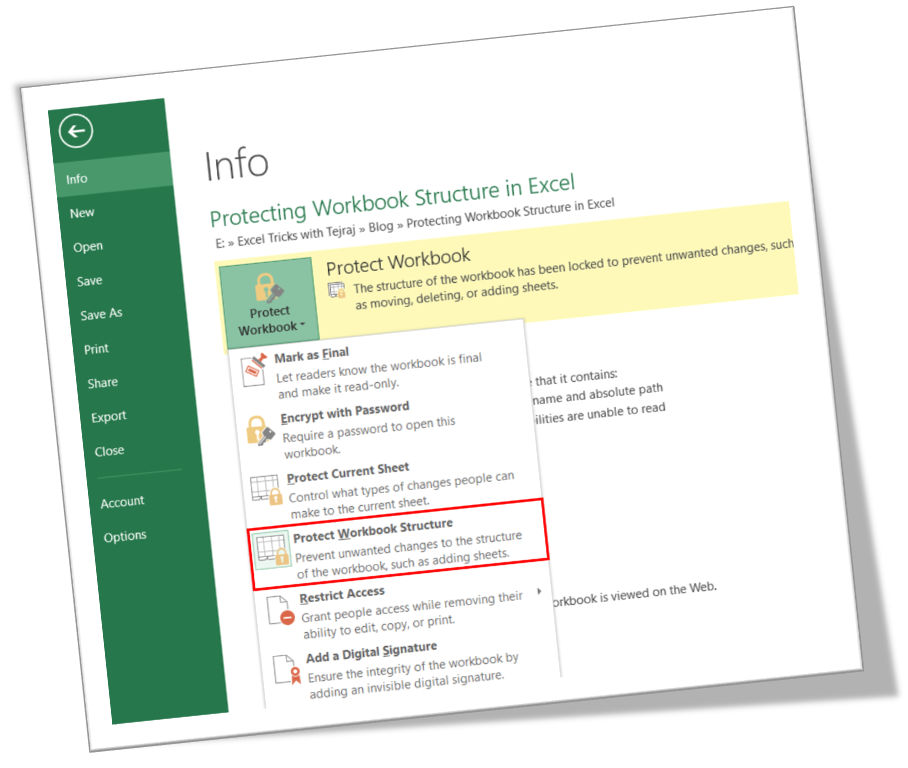
In this blog post we will learn to protect the workbook structure in excel. First of all let’s understand what it means by protecting workbook structure. Once we protect the workbook structure: 1. User cannot insert new worksheet . 2. User cannot delete existing worksheet. 3. User cannot rename worksheet . 4. User cannot hide & unhide the worksheet . 5. User cannot change the tab color . 6. User cannot copy the existing worksheet . 7. User cannot move the existing worksheet . Now, we will see how to protect worksheet structure in excel: 1. Click on “File” option on Ribbon. 2. Click on “Info” option as highlighted in below image. 3. Click on “Protect Workbook” option as highlighted in below image. 4. It will appear further options under “Protect Workbook”. Out of these options we have to click on “Protect Workbook Structure”. 5. Once we click on “Protect Workbook Structure” option, one dialog box will appear on our excel screen as shown in below image. Under this we have to check th...

Changing Number of Sheets While Creating New Workbook

Image
In this blog post we will see how to change the number of sheets while creating new workbook. Sometimes we see that there are 03 sheets available when we create new workbook or sometimes there is only one sheet available when we create new workbook. So the question is how to change the available number of sheets while creating new workbook? Let’s learn this through this blog post. We will see the how we can include: 1. Only 01 worksheet while creating new workbook 2. 03 worksheets while creating new workbook 3. 05 worksheets while creating new workbook Including only 01 Sheet while Creating New Workbook For including only 01 sheet while Creating New Workbook we will have to do following easy steps. 1. Click on the "File Menu" with which following window will appear on the screen. 2. Then click on the “Options” as shown in below image. 3. Once we click on the “Options” we can see that dialog box named as “Excel Options” will appear on the screen. To include only include 1 shee...